
Digital imaging
Fall 2026 COMS 226
T-Th 9:30 – 10:45 – HH 1005 (Mac lab)
Instructor: Prof. William (Bill) Kovarik,
School of Communication, Radford University
Email: wkovarik@radford.edu
Office hours: HH 2129, T-Th 2 – 3:15
Textbook: https://revolutionsincommunication.com/viscomm
Catalog description of the course — Four hours lecture and laboratory. Instruction in the technology of digital imaging and photojournalism. Practice in the creation, editing and processing of digital images for use in various media with some emphasis on the World Wide Web. Visual communication theories and history of photography are also covered. 3.000 Credit hours
Welcome to Digital Imaging
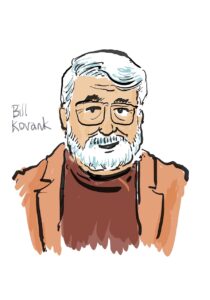 Hello. I’m Professor Bill Kovarik, your instructor for Digital Imaging. Contact me any time at wkovarik@radford.edu Also, I have regular office T-Th at 2 pm and zoom office hours Monday and Wednesday as needed.
This syllabus will help you get started in the COMS 226 course, describing 1) How to get started and where resources are located; 2) our learning objectives; 3) assessment methods, and 4) support and accessibility policies.
COMS 226 course is an introduction to the how and why of visual communication — the methods as well as some historical context and aesthetic issues.
Getting started
Textbook: This course has no required textbooks. Instructional materials are here: https://revolutionsincommunication.com/viscomm
Due dates and assignment information will come from D2L Course Schedule It is accessed through a web browser (as you already know); Log in using your RU ID and Password at learn.radford.edu If you are registered for the class, you will see COMS 226.
Useful tools: Digital camera (or phone camera), headphones or earbuds, extra drive / cloud space for backups. For serious students, a digital SLR type camera is very helpful. These are also available for checkout from the Equipment Room, first floor HH or from the library.
Learning objectives
- Create a professional web portfolio page using WordPress
- Create, edit, optimize, and display media on your web portfolio
- Create: Shoot & capture photo, audio and video files.
- Edit: Employ basic editing and formatting software
- Display: Upload and display photo, audio and video information on a web site
- Design a publication in InDesign, export as a pdf for web and for printing
- Create a simple animation, export and display as video
- Create a podcast, export and display as an audio file
- Understand principles of composition and visual communications.
- Understand the history and principles of photography
How this works
We’ll start the week on Tuesdays with a zoom lecture and introduce a learning module about some key aspect of digital imaging. You’ll also have some reading / watching to do each week, and a practical assignment or two. Thursdays we will refine the assignment or, later in the semester, leave some time for individual help and catching up.
All of the readings and assignments will be organized through D2L, so if you’re not sure of what you need to do for that week, just go to the D2L class page and look for the course schedule.
Submitting Assignments and Projects: All assignments and projects will placed on your own WordPress content management system web site, but quizzes and written exercises will be taken through the class D2L site.
Artificial intelligence – AI is no substitute for thinking. In this class you may use AI tools for research. However, AI cannot replace your analysis, reasoning, source evaluation, or composition of a final assignment or law brief. When AI contributes to your work, you must describe how you used it and how your creative analysis can lead to independent action.
Assessment
4.1 Grading criteria for individual assignments
- Technical issues:
- Files optimized for web display with correct format
- Light and colors are level and balanced
- Pixel depth is 72 ppi for web
- Aesthetic issues:
- Your own original work is required for all assignments, except practice assignments when we specify public domain images, audio or video
- All work for credit must be done this semester
- Subjects should be ethical and appropriate
- Human subjects should be close to the camera.
- Theme is emphasized within the frame
- Composition is balanced and proportional
- Eye travel, sequence and rule of thirds are considered
4.2 Overall course grading assessment — Course grades will be based on a combination of participation, written research, and performance on quizzes and exams. To earn an A in the class, score at least 1,000 possible points in these categories:
- Section 1 – WordPress site; Four parts, 50 points each (200 overall)
- Establish site, Display images, Organize menus, header and theme
- Section 2 – Ten Photoshop / Gimp exercises, 20 points each (200 overall)
- Section 3 – Photography
- Photography exercise with DSLR cameras (100 overall)
- Three personal photo galleries, five photos each, (150 overall)
- Sections 4 – 8 — Two projects of your choice from the following sections:
- Section 4 – Graphics / InDesign (pdf), 100 points
- Section 5 – Audio project / Audacity podcast (m4a, mp3), 100 points
- Section 6 – Video project / Adobe Premier (H264, mp4), 100 points
- Section 7 – Animation project, Photoshop, After Effects, etc. (gif) 100 points
- Section 8 – Optional open project, (drone, livestream, etc) 100 points
- Six Quizzes — 25 points each (150 0verall)
- Class Policies
Attendance – If you misç ten percent of the classes your grade starts to drop proportionally.
Learning club atmosphere — This is a little different from the routine. During lab hours we want to have an open and innovative atmosphere in the classroom.
For example, as you work in the lab, you may find that you need help and the instructor is helping someone else. In that situation, please ask a friend or classmate for assistance. By the same token, if you are further ahead than other students, it is part of your responsibility in a community of scholars to turn around and help others.
Zoom protocols – We may have at least some zoom classes. We want the video to be on for both presenters and listeners. The chat should also be on, and microphones off, unless you are talking.
Incomplete grades – Students with personal or medical issues should talk with the Dean of Students office. They, in turn, can advise faculty about a need for leniency in grading. You may ask that a grade of Incomplete be assigned at the end of the semester so that you might finish the course by the end of next semester and earn your best possible grade despite personal or medical issues. This is not recommended except for emergency situations, since it is harder to keep up with the assignments.
Free speech and communication
Please feel free to speak up and ask questions, either in class or in private, via zoom or in person office conferences.
Naturally, you are free to say what you think about the course topics or the course itself. Your opinions will be respected, especially insofar as they reflect reasoned arguments and efforts to clarify or improve. We will not tolerate bias against conservatives, liberals, Whigs or Tories. All reasonable views are welcome, especially if what you say is guided by a sense of ethics, consideration for others, and respect for diversity of citizenship and scholarship.
However, we will not tolerate hate speech, obscenity, threats of violence or other forms of expression not protected under the First Amendment.
University policies
Academic integrity, as pointed out in the Standards of Student Conduct, prohibits falsification, cheating, forgery and other dishonest academic practices. Students who have problems in this area will fail the course and be reported to the dean’s office.
Honor Code: By accepting admission to this university, each student makes a commitment to understand, support and abide by the honor code without compromise or exception.
Confidentiality — Discussions about your grade or other aspects of your life at RU are kept in strict confidence by the instructor under the Family Educational Rights and Privacy Act (FERPA) (20 U.S.C. § 1232g; 34 CFR Part 99). This means the instructor will be happy to talk with your mom or dad, but only with your permission.
Disabilities —If you are seeking academic accommodations under the Americans with Disabilities Act at Radford University, you are required to register with the Disability Resource Office (DRO). To receive academic accommodations for this class, please submit your documentation to the DRO in the lower level of Tyler Hall Suites 54-69, by fax to 540-831-6525, by email to dro@radford.edu. After submitting documentation to the DRO, you will set up an interview with a Disability Services Specialist to discuss accommodations. You will be notified via email once your accommodation package is complete and ready to be picked up. Once you have picked up your accommodation package, you will need to meet with each course professor during their office hours to review and discuss your package. For more information and/or for documentation guidelines, visit www.radford.edu/dro or call 540-831-6350.
Calendar Fall 2026
(Sections refer to top menu items: https://revolutionsincommunication.com/viscomm/ )
Aug 25 – 27 Introduction / Section 1 build a web site
Sept 1 – 3 Section 2 – File formats / Photoshop tools
Sept 8 – 10 Section 2 – Perspective, layers, gradients,
Sept 15 – 17 Open
Sept 22 – 24 Section 2 – Text effects, clipping masks
Sept 29–Oct1 Section 3 — Photography
Oct 6 – 8 Section 3 – What makes a great photo?
Mid term
Oct 13 – 15 Section 4 – Graphics and InDesign
Oct 20 – 22 Section 4 – InDesign
Oct 27 – 29 Section 5 – Audio and podcasting
Nov 3 – 5 Section 6 – Video
Nov 10 – 12 Section 7 – Animation
Nov 17 – 19 Section 8 – Projects
Nov 24 – 26 THANKSGIVING
Dec 1 – Dec 3 Project presentations
Dec 4 – 10 Exam week
Dec 11 class ends